Every video on YouTube has a unique identifier called a Video ID. This ID is a string of 11 characters that uniquely identifies a video on the platform. Here's how you can find it.
If you are watching a YouTube video on your device, you can find the Video ID in the address bar of your browser:
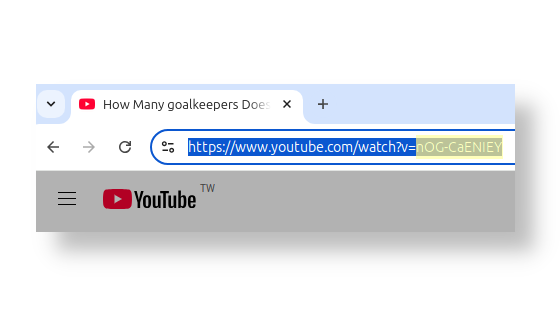
In this example the adress (URL) is https://www.youtube.com/watch?v=nOG-CaENIEY
Then in this case, the Video ID is: nOG-CaENIEY, the part after the v=
Note: A YouTube Video ID always has 11 characters.
If you received a YouTube video link from a friend or a website, you can find the Video ID in the sharing address.
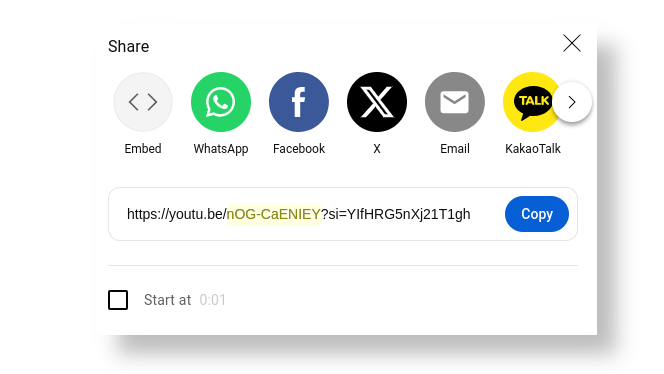
In this example the adress (URL) is https://youtu.be/nOG-CaENIEY?si=YIfHRG5nXj21T1gh
Then in this case, the Video ID is: nOG-CaENIEY, the part after the youtu.be/


•
Terms and ConditionsCopyright © Tube2Sheet 2024
Google Sheets™ web-based spreadsheet program and YouTube™ are trademarks of Google LLC.
